Workflow Automation
Eliminate Repetitive Work, Reclaim Your Time. Stop doing manual tasks. Our workflow automation solutions streamline your processes, reduce errors, and let your team focus on high-value work.


Are Manual Workflows Quietly Slowing Your Business Down?
Workflow automation isn’t about speed for speed’s sake. It’s about eliminating hidden friction, reducing operational risk, and ensuring work flows correctly as the business scales. If any of the following sound familiar, your workflows may be costing more than you realize.
Critical Processes Still Rely on Manual Steps
Key workflows depend on spreadsheets, handoffs, or human intervention. As volume increases, errors rise, consistency drops, and execution becomes unpredictable.
Work Falls Through the Cracks Between Teams and Systems
Processes span multiple tools and departments, but nothing orchestrates the flow. Tasks stall, ownership is unclear, and accountability erodes.
You Can’t Reliably Enforce Business Rules or Compliance
Policies, approvals, and validations depend on people remembering to follow them. This creates inconsistency, compliance risk, and audit exposure.
Processes Break Silently When Something Goes Wrong
Failures aren’t immediately visible. Tasks stall without alerts, data becomes inconsistent, and problems surface only after they impact customers or revenue.
Automations Are Fragile or Hard to Change
Existing automations are tightly coupled, poorly documented, or built as one-offs. Small changes risk breaking downstream processes, slowing iteration.
You Lack Visibility Into How Work Actually Moves Through the Business
Leadership can’t easily see where work slows down, where handoffs fail, or how long processes truly take. Optimization becomes guesswork.

Why Workflow Automation Becomes Critical as Companies Scale

As companies scale, internal operations tend to break before external growth slows. The earliest failures usually appear in handoffs, approvals, data movement, and reporting.
Work that once moved informally between a few people now passes through multiple teams and systems. Handoffs slow down because ownership is unclear. Approvals stack up as decision makers are pulled into more processes. Data begins to move manually between tools through exports, emails, and spreadsheets. Reporting becomes less reliable because information is delayed, duplicated, or incomplete.
This is also where manual work quietly returns to systems that were once considered automated. Teams add “temporary” checks to prevent errors. Someone re-enters data to be safe. Processes drift as exceptions become more common. What was once efficient becomes fragile.
The cost of this inefficiency is rarely visible on a single line item. It shows up as lost time, increased error rates, slower decisions, and growing operational fatigue. Leaders begin to question data. Operators spend more time managing workflows than improving outcomes.
Workflow automation becomes critical at this stage because the existing way of working no longer scales. This pain often appears before teams actively search for automation software, making it an early signal that systems need to evolve.
Why Most Workflow Automation Efforts Fail
Most workflow automation efforts fail not because of technology, but because of how automation is approached.
A common mistake is tool-first automation. Teams select software before understanding the process, then attempt to force workflows into predefined patterns. This often results in brittle automations that only work under ideal conditions.
Another failure point is automating broken processes. If a workflow already suffers from unclear ownership, inconsistent data, or unnecessary steps, automation simply accelerates those problems. Complexity increases while reliability decreases.
Lack of system ownership is also a major issue. When no one is accountable for how workflows function end to end, failures go unnoticed and unresolved. Over time, automation drifts out of alignment with how the business actually operates.
Poor data models further undermine automation. Inconsistent or duplicated data creates confusion and erodes trust in outputs. Once automation is live, many teams also lack visibility. They do not know when a workflow fails, where it failed, or what impact it had.
These issues compound quickly and lead teams to abandon automation altogether.
FireStitch approaches workflow automation as a systems design problem, not a configuration exercise.
We start with process mapping before any automation is built. This includes understanding how work flows today, where decisions are made, and how information moves between people and systems. We focus heavily on exceptions and edge cases, not just the ideal path, because real operations rarely follow perfect workflows.
Automation is designed to support how the business actually operates, not how it looks on paper. We identify which steps should be automated, which require human judgment, and how ownership is enforced across the system.
Observability is a core part of our approach. Automated workflows are built with visibility so teams know what is running, what is delayed, and what has failed. This prevents silent breakdowns and allows issues to be addressed before they impact customers or leadership.
We also design automation to evolve. As teams grow, tools change, and processes shift, workflows must adapt without being rebuilt from scratch. This is why we favor custom systems with centralized logic rather than fragmented automations spread across disconnected tools.
The result is automation that reduces friction today while remaining flexible enough to support growth tomorrow.
Types of Workflows We Commonly Automate

Operational Workflows That Keep Work Moving
Operational workflows focus on coordinating work across teams. These automations manage task progression, ownership changes, and status updates so work moves forward without constant manual follow up. This improves consistency and reduces delays caused by miscommunication.
Data Sync That Keeps Systems Aligned
Data synchronization workflows ensure information moves reliably between systems. Instead of relying on manual exports or duplicated entry, data stays consistent across tools. This reduces reconciliation work and improves confidence in reporting and downstream processes.


Approvals and Compliance Without Bottlenecks
Approval and compliance workflows balance speed with control. Automations enforce required checks, document decisions, and maintain clear audit trails without slowing operations. This is especially valuable as organizations grow and oversight requirements increase.
Customer Journeys That Run Themselves
Customer lifecycle automation supports onboarding, engagement, and retention. These workflows ensure customers receive timely actions and information while reducing reliance on manual coordination between teams.


Reporting and Alerts That Catch Issues Early
Internal reporting and alerting workflows surface issues early. Rather than waiting for periodic reports, teams receive timely signals when metrics change, thresholds are crossed, or processes stall. This enables faster intervention and better outcomes.


Automation, Data, and System Integration
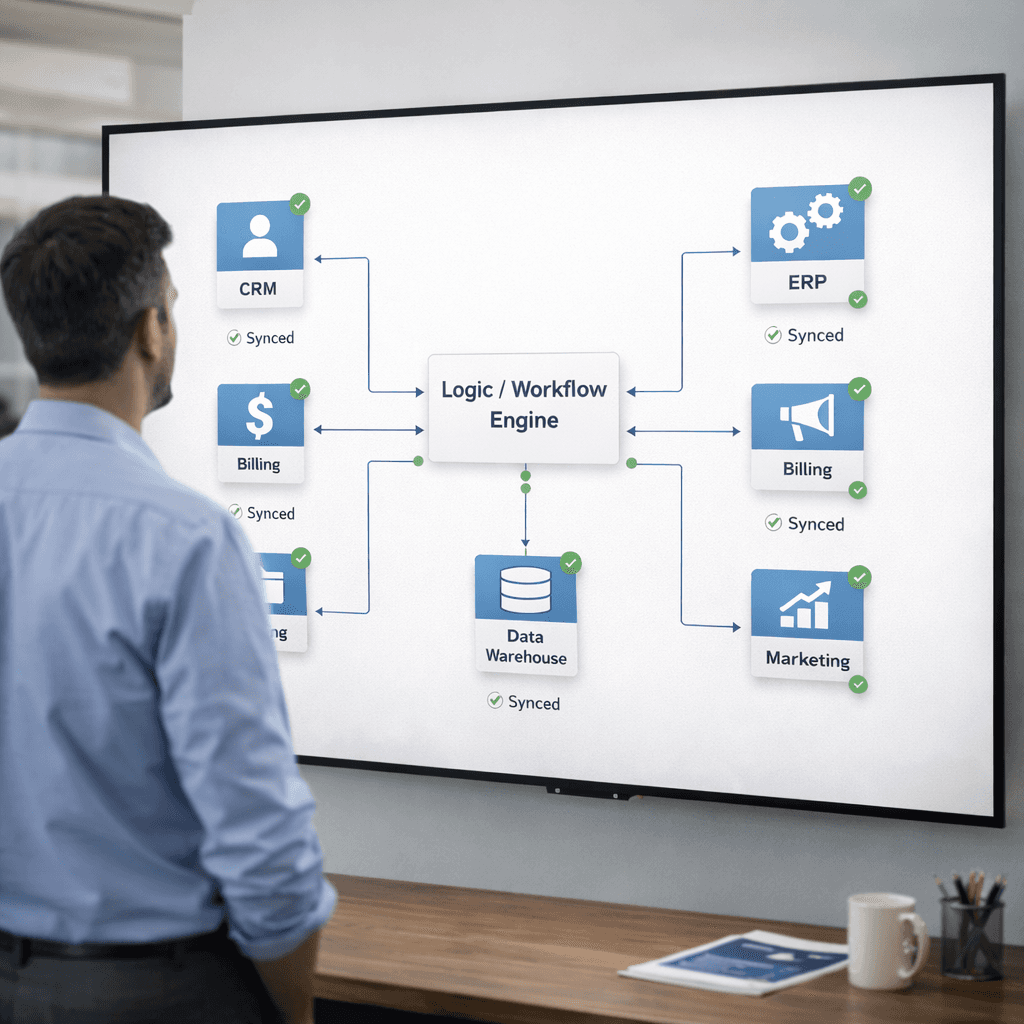
Automation only works when systems and data are designed to support it.
Many organizations operate with tools that were never intended to work together. When automation is layered on top without structure, logic becomes duplicated and fragile. Small changes can cause cascading failures.
FireStitch focuses on connecting systems intentionally. We centralize business logic instead of scattering it across one-off automations. This makes workflows easier to manage, test, and evolve over time.
Data accuracy is treated as a prerequisite. Automations rely on clean, well-defined data models so information remains consistent as it moves across tools. This reduces errors and restores trust in outputs.
By avoiding brittle integrations and designing automation as part of the core system, we ensure workflows remain reliable as volume, complexity, and tooling change. Automation becomes an asset, not a liability.
How Automation Evolves Over Time
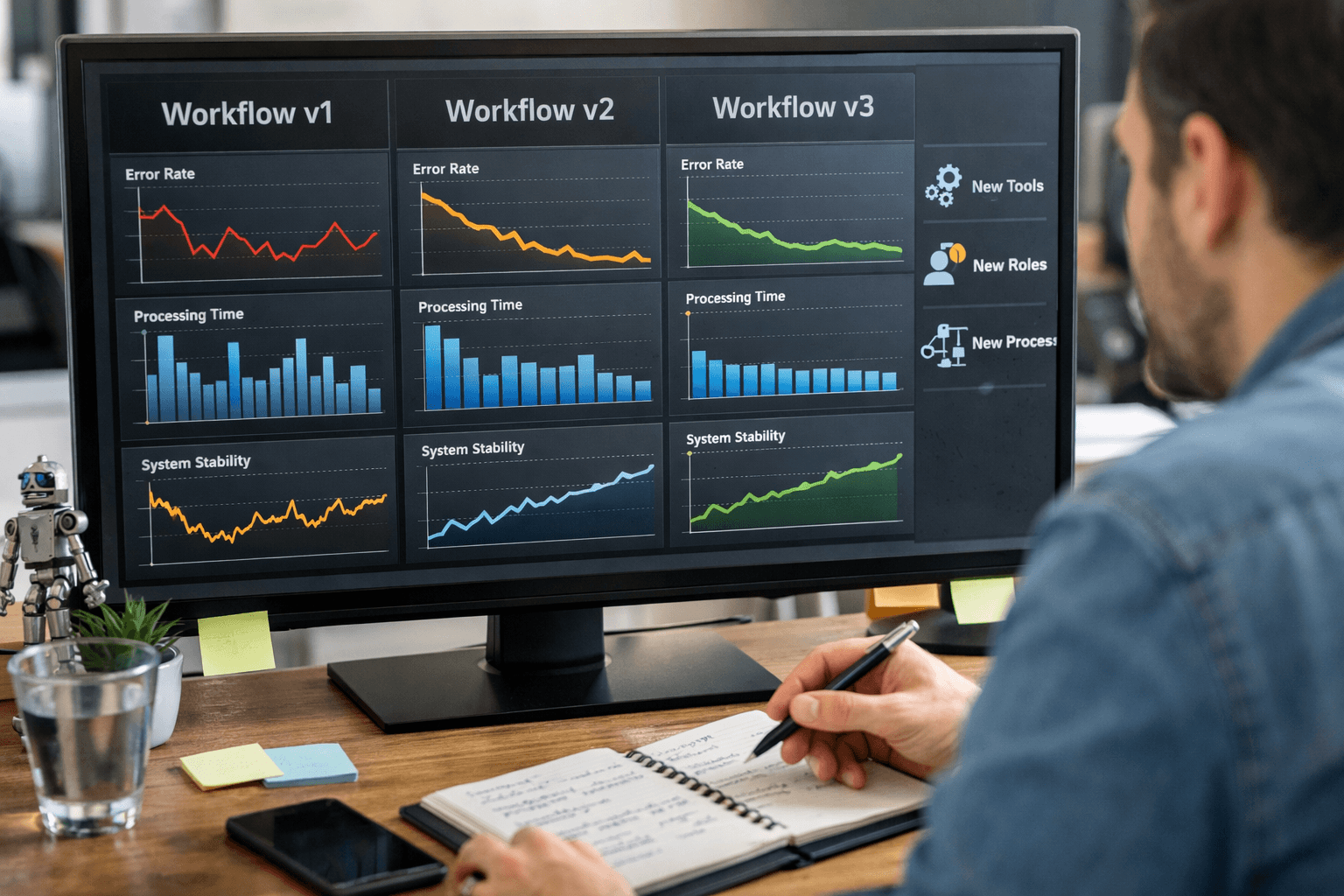
Automation must evolve as the business changes.
Teams grow, roles shift, and tools are replaced. Workflows that once worked well need to be updated to reflect new realities. FireStitch designs automation with this evolution in mind.
We support safe scaling by expanding automation without introducing fragility. Changes are made intentionally, informed by real usage and performance data.
As new tools and processes are introduced, workflows are adapted rather than patched. This keeps systems aligned with how the business operates today, while preserving flexibility for what comes next.
Automation remains a living system, not a fixed configuration.
FireStitch Case Studies
Explore real projects and outcomes that show how our toolkit helps teams ship intuitive, industry-ready solutions faster and smarter.



Frequently Asked Questions
What is workflow automation software?
What workflows do you automate most often?
Can you automate follow-ups and reminders?
Can you automate call workflows for sales teams?
Is automation only for big companies?
Book FireStitch Office Hours
FireStitch Office Hours are free, one-on-one strategy sessions with FireStitch CEO Keith Seim and senior FireStitch strategists. These sessions are not sales calls. They are working conversations designed to help us understand your business, review your current systems, surface bottlenecks, and talk through realistic paths forward. The goal is simple: clarity. You’ll walk away with a better understanding of what’s holding you back, what’s possible next, and whether FireStitch is the right fit to help you get there no obligation either way.